Diamond system calculator
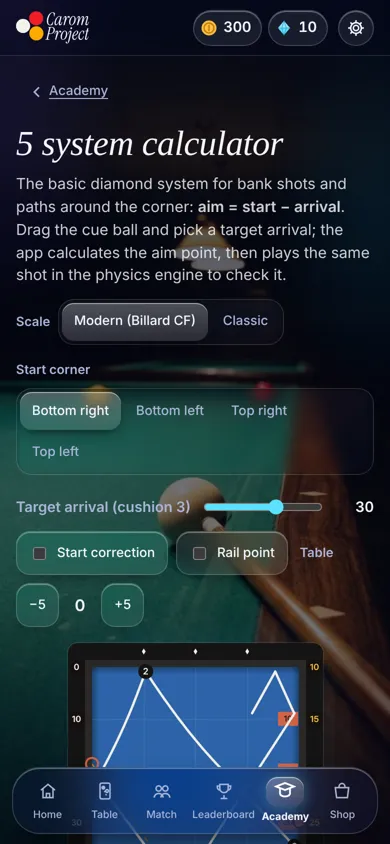
The 5 system for three-cushion: aim = start − arrival. Drag the cue ball, set the arrival you want on the third cushion, and read where to aim on the first.
Drag the white ball, use the arrow keys, or tap the table to move it. Tap a pink number to set the arrival.
The 5 system does not cover this position. Move the cue ball closer to the bottom-right corner.
How to hit it
Playing from another corner? Mirror the table: the numbers stay the same.
How the calculator works
The shot goes long, short, long: the cue ball hits the top long cushion first (cushion 1), then the left short cushion (2), then comes back to the bottom long cushion (3). Each cushion has its own numbers.
- Start (amber) is read where your shot line, extended backwards through the cue ball, meets the rail behind it.
- Aim (white) is where that line meets cushion 1.
- Arrival (pink) is where the ball reaches cushion 3.
Moving the aim also moves the start, so players usually adjust in small steps. The calculator solves that loop for you: it finds the one aim whose start, minus the aim, gives your arrival.
The dashed path after the first cushion is a guide. A real ball curves with spin and speed, which is why the system asks for the same stroke every time.
Check it in real physics
In the app, the engine plays the shot with full physics, compares where the ball really lands with what the system promised, and explains the difference.